


Quick start · How it works · What it does · Modes · Models · Agents · BuildProgram · Roadmap
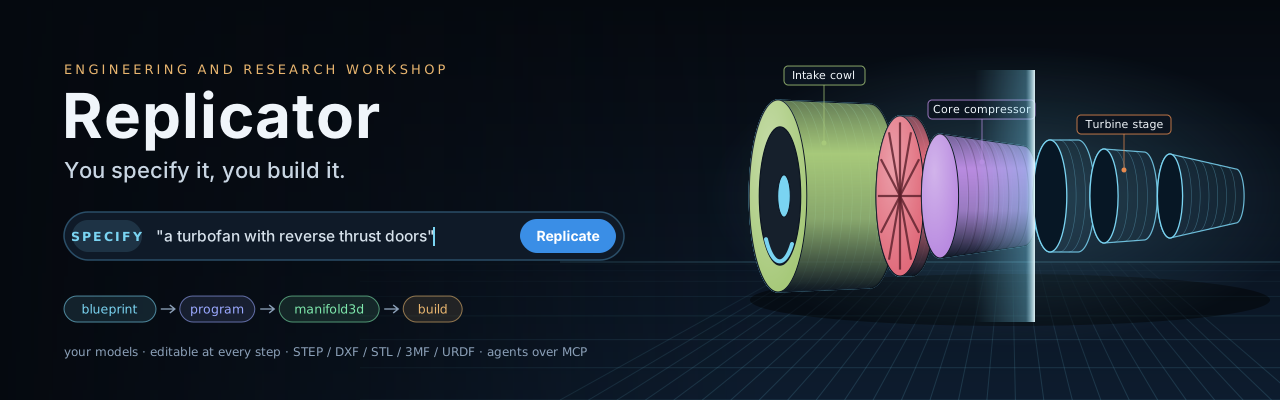
You specify it, you build it. Describe a thing in a sentence: a house with a floor plan, a circuit board, a desk lamp, a rocket engine, a liquid-cooled PC, a concept nobody has built yet. A language model plans it from engineering knowledge and writes a build program. A solid-modelling kernel builds that program one step at a time, and thirteen measured checks test the result. You can stop at any step, change it, take it apart, measure it, draw it, and send it to CAD, a renderer, Blender or a printer.
Replicator is an engineer's workshop first and a research tool second. The design is a validated program, not a picture or generated code, so every part has a size, a material and a mass. Reverse mode works the other way: it takes an existing model apart into pieces, with an evidence ledger that says what was measured, what was inferred and what nobody can tell.
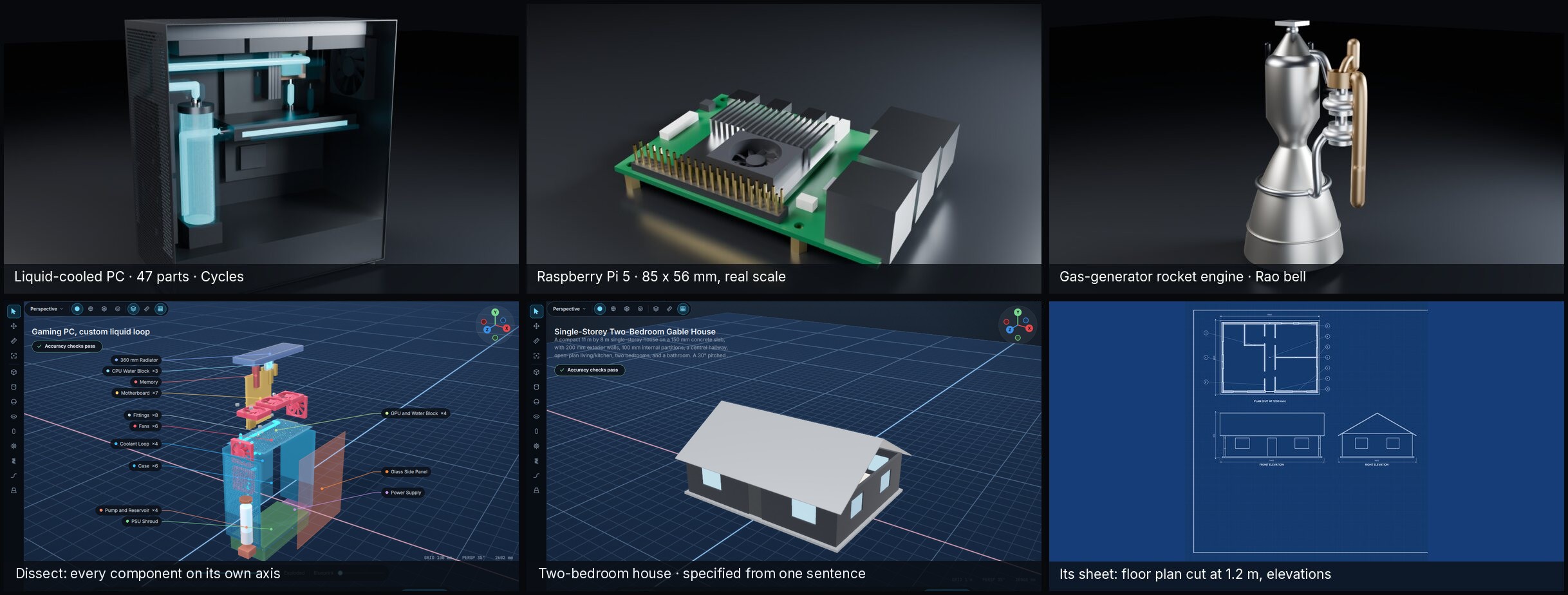
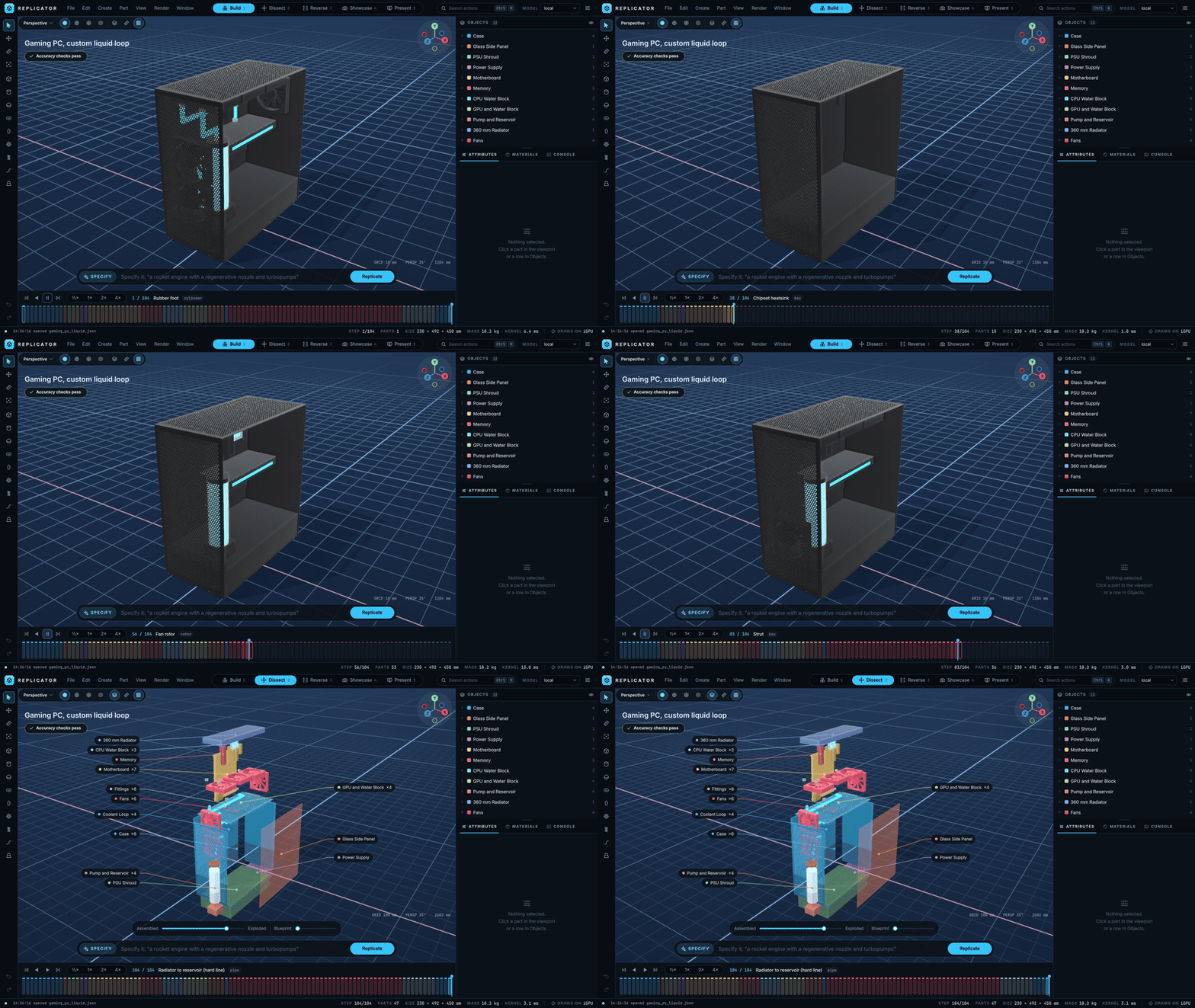
It is built for many kinds of work, and most of it needs neither a model nor a printer:
| You want to | Replicator gives you |
|---|---|
| Design a building | Walls, openings and a roof from one sentence; a floor plan and elevations on the drawing sheet; checks that the roof covers the walls |
| Lay out electronics | Boards and parts at real scale from knowledge cards, ready for an enclosure |
| Engineer a machine | Formula-driven ops (a Rao bell nozzle, involute gears, NACA wings), mass, centre of gravity, STEP for CAD |
| Simulate it | URDF and MJCF with mass, centre and inertia measured from the exact solid, ready for MuJoCo or ROS |
| Understand an object | Import any of 24 formats and take it apart in Reverse; Explain writes a checked explanation, Present narrates it |
| Make a replica | Scale and orient to fit any printer bed, refused rather than clipped when it does not fit |
| Train or test a model | A seeded benchmark scored by measuring the solid, and a corpus export where every row re-verifies |
Python 3.11 or later. Tested on Linux (Wayland and X11) with PySide6 6.12. macOS and Windows should work wherever PySide6 and manifold3d install, but nobody has tested them yet; reports are welcome.
To use it:
pipx install "replicator-workshop[app,mcp]"   # the window and the MCP server
replicator                                    # the start screen lists nine examples
pip install "replicator-workshop[app,mcp]" in a venv works the same. To work on it:
git clone https://github.com/T-Crypt/replicator.git && cd replicator
python -m venv .venv && . .venv/bin/activate
pip install -e ".[all]"                 # the app, the MCP server, STEP/IGES import, MuJoCo and the tests
pytest -q                               # about 230 tests, under 30 s
replicator replicator/fixtures/rocket_engine.json  # open a program and watch it build
replicator # an empty workshop
replicator replicator/fixtures/house_two_bed.json # a two-bedroom house with its floor plan
replicator path/to/model.glb # take a model apart in ReverseThe extras install separately if you want less: .[app] for the window, .[mcp] for agents,
.[cad] for STEP and IGES import, .[sim] for the MuJoCo check, .[dev] for the tests. The core alone (pip install -e .) builds,
checks and exports programs with no window: python -m tools.check replicator/fixtures/house_two_bed.json.
Optional: blender 4.x or 5.x on PATH for Cycles stills, the Blender round trip, and FBX, USD or
.blend import.
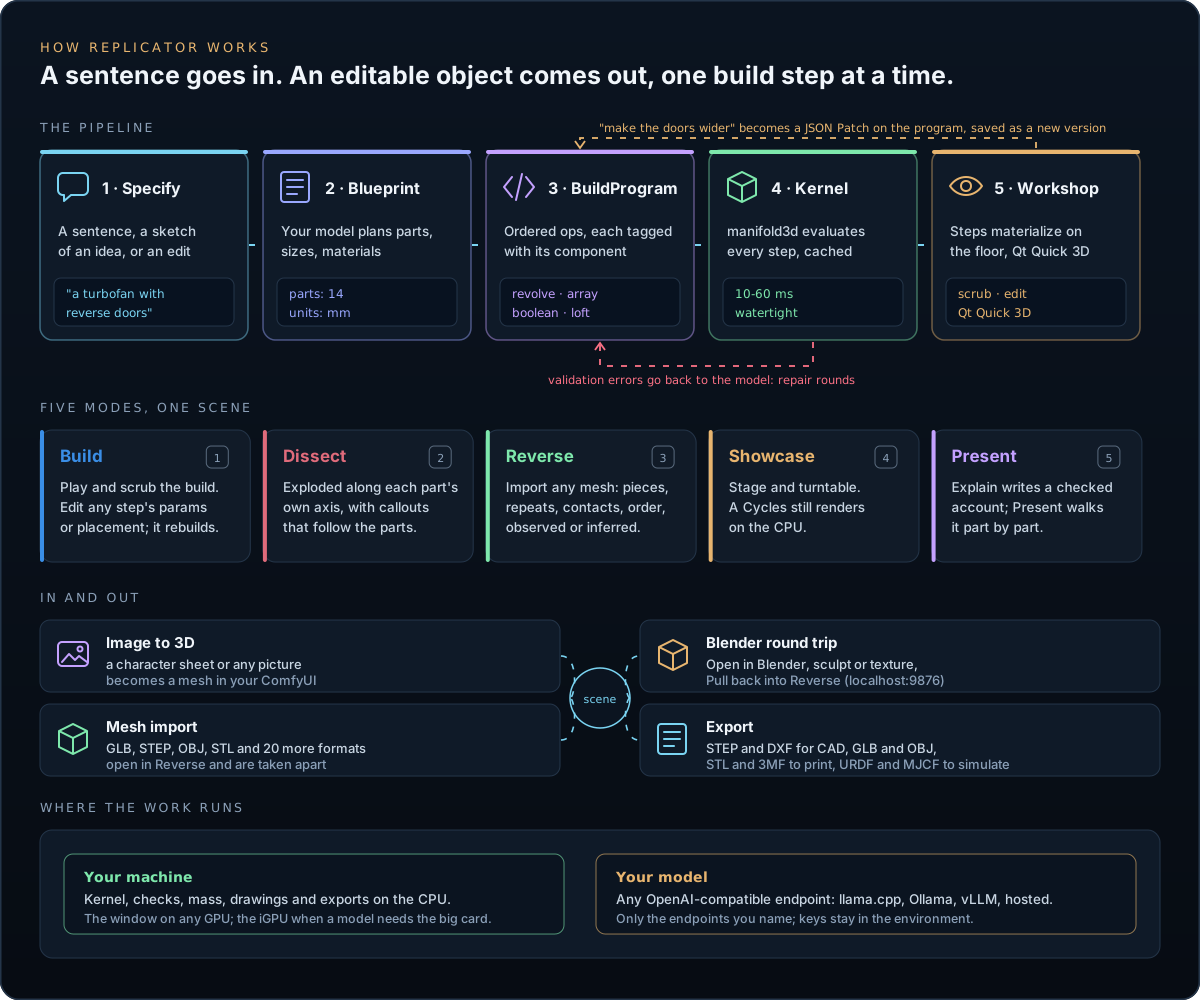
- Specify. You type what you want: "a two-bedroom house with a gable roof" or "a turbofan with reverse thrust doors". Curated knowledge cards (houses, electronics boards, desktop PCs, drones, light aircraft, rocket engines, turbofans, exoskeletons, car wheel corners, desk lamps, printable replicas) are picked by keyword and give the model real proportions. With research on, it also looks things up; only search words leave the machine.
- Blueprint. The model plans the object first: its parts, their sizes in millimetres, the materials and how the parts fit together. The plan comes before any geometry, so the model never invents coordinates on the fly.
- BuildProgram. A second pass turns the blueprint into an ordered list of operations, each tagged with the component it builds. The program is plain JSON, validated against a schema generated from the kernel's own op table. When validation or the kernel fails, the errors go back to the model for up to two repair rounds.
- Kernel. manifold3d evaluates the program into watertight solids. Each op's result is cached by a hash of its inputs, so a rebuild after an edit redoes only what changed; a full build takes 10 to 60 ms.
- Workshop. The steps play on the floor. Build step k is ops 0 to k, and an op that a later op consumes disappears at that step, so every step shows the object as it stood at that moment.
Edits work the same way. Type "make the reverser doors wider" and the model answers with a JSON Patch against the program, not a new program. A patch that fails validation is dropped; every accepted one is a version you can step back to.
Builds from a sentence
- Two-stage specifying, blueprint then program, with repair rounds. The parser strips the comments, trailing commas and code fences local models tend to add.
- Edits by patch, optionally scoped to one component, so a model cannot touch the rest.
- Checks the result. Thirteen measured checks run on every build: floating parts, parts loose in a cavity, clipping, array copies, thin walls, rings spun about the wrong axis, radial arrays off their body, parts that should line up, rules from the knowledge cards, size against the blueprint, planned parts that are missing, whether it stands, and roofs on buildings. A failing check goes back to the model as an edit.
- Mass properties. Mass, centre of gravity and principal inertia from the exact solid and a density table; an assumed density is flagged, never hidden.
A real modelling kernel
- 26 operations. Primitives (
box,cylinder,sphere,torus,capsule,extrude,revolve), builders (loft,pipe,helix,gearwith involute teeth), engineering ops (tube,nozzlewith a Rao bell from throat radius and expansion ratio,rotor,grille,wingwith NACA sections), modifiers (transform,array,smooth,round,shell,deform), combiners (boolean,hull,group) andmeshfor imported geometry. - Drawing sheets. An A3 sheet from the program: third-angle views, a section (a floor plan for buildings), measured dimensions, numbered callouts and a parts list with masses.
- Exports. STEP for CAD (faceted solids, one per connected lump, cavities kept as voids; OpenCASCADE reads every fixture back as valid solids with the same volume), GLB with materials, OBJ, STL, 3MF, and DXF: the drawing's views at full size in model units, on separate layers for outlines, creases, section cuts and dimensions, for 2D CAD and laser cutting.
- Simulator export. File > Export for simulators writes URDF and MJCF, one link per part, with mass, centre and inertia from the exact solid. MuJoCo loads the fixtures with the mass Replicator reports and they come to rest upright. Joints are not program data yet, so every link is fixed to a base.
A workspace that stays out of the way
- Viewport. A damped orbit camera with zoom to cursor, a perspective view and three orthographic
ones (
F1toF4), an axis triad and a move gizmo with snapping (W).Hframes everything,Fthe selection. - Measure (
D). Click two points on the model for the distance and its X, Y and Z parts. - Any mouse. Drag to orbit, Shift+drag to pan, Ctrl+drag or right-drag to zoom, wheel or pinch to zoom. No middle button needed.
- Managers and timeline. An Object Manager grouped by component, an Attribute Manager for the
selected op, materials, a console, and a timeline where every op is a block you can play, scrub or
jump to (
Space). - Commander (
Ctrl+K). Every action, searchable. Themes, accents and density in Preferences.
| Key | Mode | What it is for |
|---|---|---|
1 |
Build | Watch the build, pick any step, change its parameters or placement, rebuild. |
2 |
Dissect | An exploded view: every part slides out along its own axis, with callouts that follow the parts. |
3 |
Reverse | Import a model (Ctrl+I) and take it apart into pieces, repeated patterns, contacts and a likely assembly order. Every finding sits in an evidence ledger marked observed, inferred or unknown; Name parts asks the model to label the pieces. |
4 |
Showcase | A product stage with soft shadows, ambient occlusion, depth of field and a turntable. Render writes a Cycles still on the CPU. |
5 |
Present | Plays the checked explanation of the object chapter by chapter, isolating and framing each component, read aloud when voice is on. |
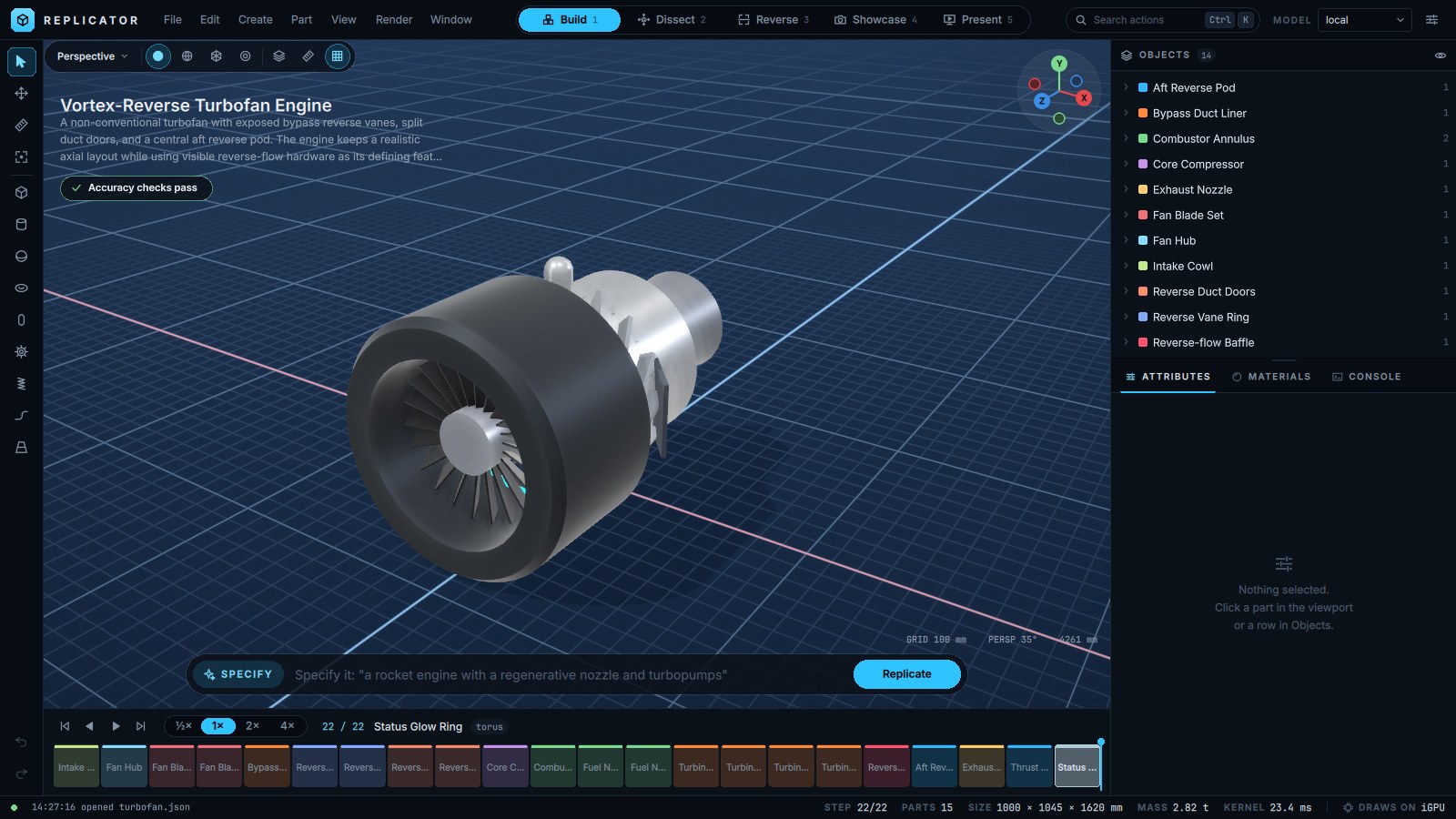
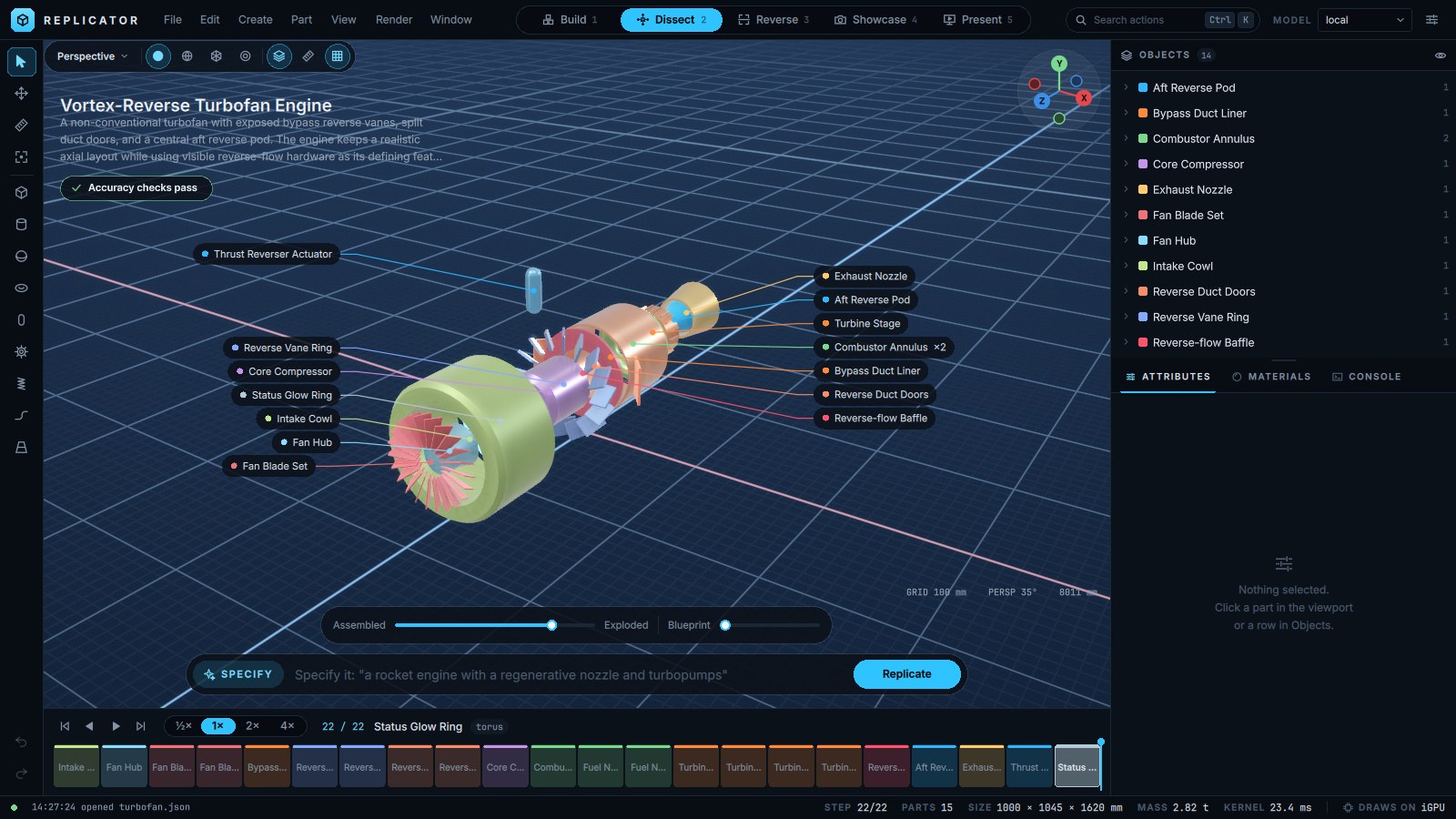
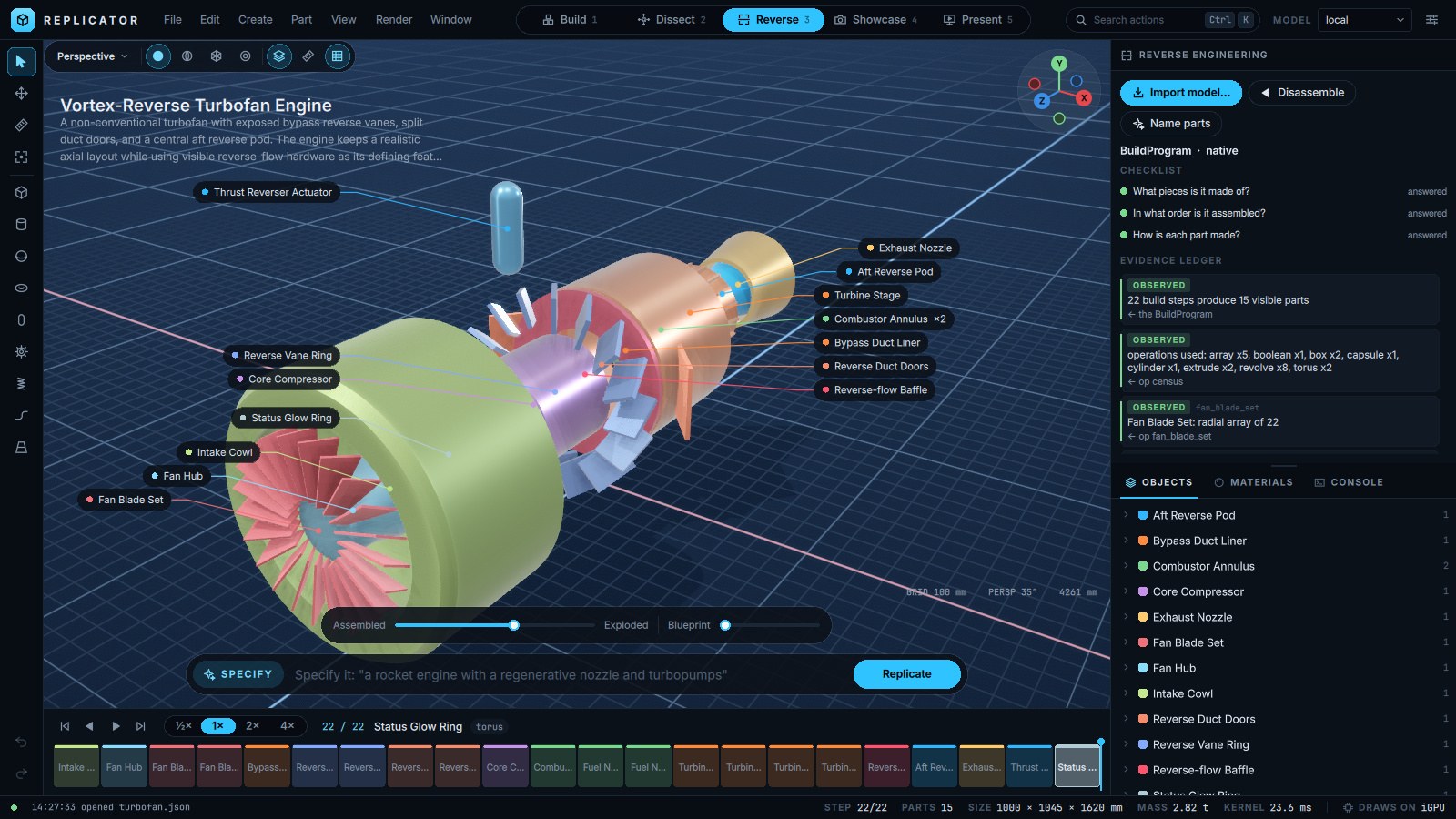
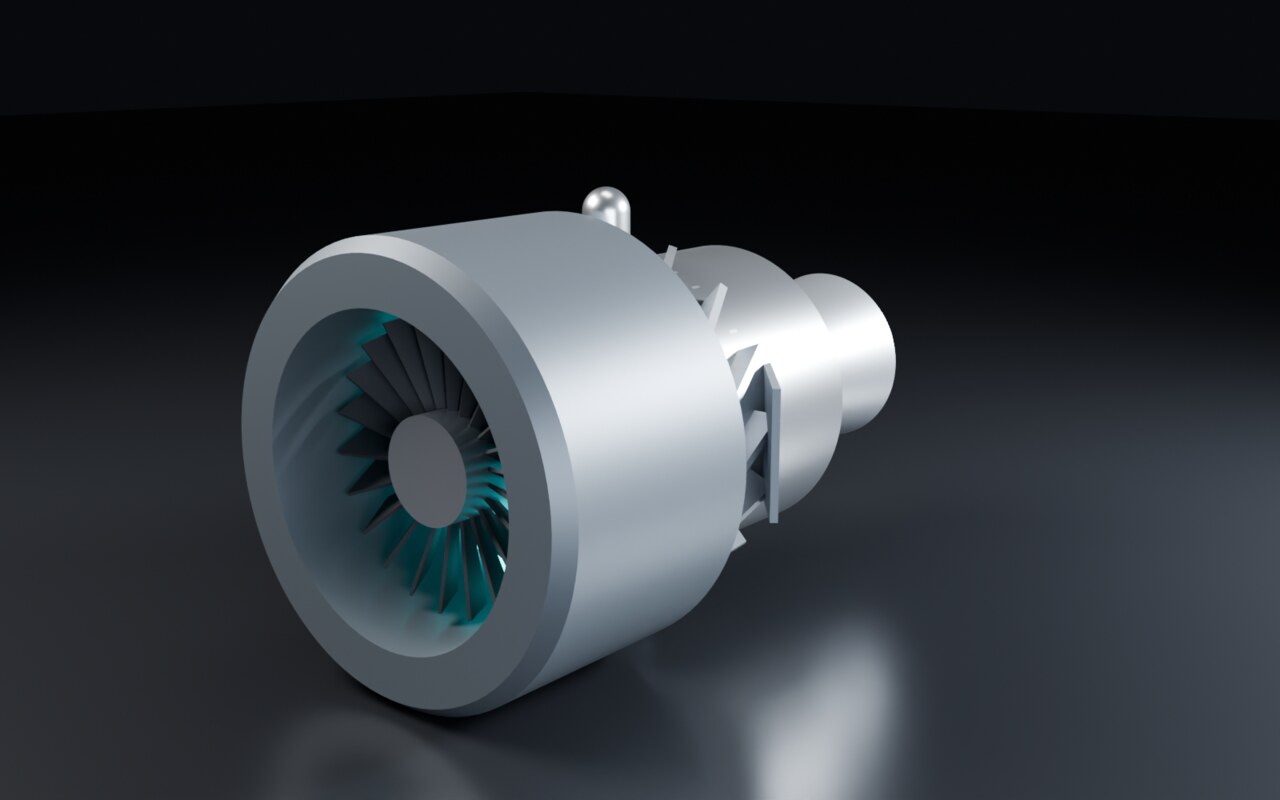
Specifying, editing by sentence, naming parts and explaining need an OpenAI-compatible chat
endpoint. Nothing else does. The built-in local engine reads three environment variables:
| Variable | Default | Example |
|---|---|---|
REPLICATOR_LLM_URL |
http://127.0.0.1:8080/v1 (llama.cpp server) |
http://127.0.0.1:11434/v1 (Ollama), http://127.0.0.1:1234/v1 (LM Studio) |
REPLICATOR_LLM_MODEL |
local |
qwen3:32b |
REPLICATOR_LLM_KEY |
unset | a bearer token, if your server wants one |
Bigger models write better programs; a 27B to 32B model is a good start, and the
benchmark measures how well yours does. To name more engines, add them to
services.json (~/.config/Replicator/ on Linux, or wherever $REPLICATOR_SERVICES points). An
API key stays in the environment variable the entry names, never in the file:
{"default_engine": "lab",
 "endpoints": [{"name": "lab", "url": "http://192.168.1.40:8000/v1", "model": "cad-ft-7b"},
               {"name": "hosted", "url": "https://api.example.com/v1", "model": "big", "key_env": "EXAMPLE_KEY"}]}
Engines appear in the picker in the header and in the MCP specify tool.
GPU. The window draws with Qt Quick 3D on whatever GPU Qt picks. On a machine with an Intel iGPU
and an NVIDIA card, Replicator draws on the iGPU so the card's memory stays free for a local model.
REPLICATOR_GPU=any turns that off, REPLICATOR_GPU=igpu forces it, and --software draws on the
CPU.
replicator-mcp (or python -m replicator.mcp_server) exposes the workshop to any MCP client over
stdio. The document is a program file on disk: every write is validated and built before it replaces
the file, and the previous version is kept as <name>.prev.json, so an agent can never leave a
broken program behind. A Replicator window with the same file open reloads it, and the agent's edit
lands on the timeline as one undo step.
| Tool | What it does |
|---|---|
op_reference |
The op vocabulary, generated from the kernel's own table |
read_program, write_program, patch_program |
Read, create, or change by RFC 6902 JSON Patch |
build_report |
Size, mass, components and every check, for the whole build or ops 0 to k |
export |
STEP, STL, 3MF, GLB, OBJ, DXF, URDF or MJCF |
drawing_sheet |
The A3 sheet as SVG and PNG |
specify, engines |
A new program from a sentence, and which engines can write it |
reverse |
Take an existing model apart into a program with its evidence ledger |
printers, fit_check, scale_for_printer |
Printer beds, fit and orientation, and a scaled copy that fits |
This repo's .mcp.json registers the server for Claude Code when it runs in the repo with the
venv at .venv. For another client, point it at replicator-mcp.
The server reads and writes any path the agent names. To keep an agent inside one folder, set
REPLICATOR_MCP_ROOT to that folder in the server's environment; every tool then refuses a path
outside it.
Most of Replicator never touches a printer. When you do print, the bed is a hard limit and replicas are normal work:
- Printer profiles. A catalog of Bambu Lab beds (published sizes) or any custom bed, saved in
services.json, with one active printer shown in the status bar. With no active printer there is no gate and every export works. - Never bigger than the bed. STL and 3MF export to the active printer is refused when the build does not fit, naming each axis, the millimetres over and the scale that would fit. Nothing is ever clipped.
- Fit, orient and scale. Fit check, orient to fit, scale to fit, and replica presets (1:1, 1:N, fit to bed, a target height). A scaled replica scales its plan too, so its checks still pass.
Some shapes don't come from a list of operations: characters, creatures, anything organic. File >
Image to 3D turns a picture, or a multi-view character sheet, into a mesh through a ComfyUI you run
with the Hunyuan3D 2.x models. Replicator cleans it, scales it to millimetres and opens it in
Reverse. Point it at your ComfyUI with COMFY_URL (default http://127.0.0.1:8188).
Render > Open in Blender sends the build to Blender through a vendored copy of the
mcp-for-blender add-on (pinned, update check off, telemetry off, listening
on localhost:9876 only): one collection per component, objects named by label. Sculpt or texture
it there, then Pull back from Blender brings the result into Reverse.
bench/ scores any engine on construction, not prose. Four seeded tasks (a flange, a circuit
board, a house, a desk lamp) change their dimensions with the seed, and each result is scored by
measuring the built solid (extents, through-holes, volume, named parts, floor area) and by the
checks. The same program and seed always score the same. See bench/README.md.
python -m tools.bench run --engine local --task all --seed 13 --trials 3
python -m tools.bench report
python -m tools.corpus export turns a folder of programs into JSONL rows (prompt, program,
geometry digest, mass, verdict) for training or evaluation, and verify rebuilds every row to prove
it still holds.
Every view edits one JSON document. Ops run in order; placement (translate, rotate, scale)
applies last. Coordinates are Y-up and right-handed, in the program's units.
{
  "version": 1, "name": "Vector engine", "units": "mm",
  "materials": {"steel": {"base_color": [0.6, 0.62, 0.65], "metalness": 1.0, "roughness": 0.35}},
  "ops": [
    {"id": "nacelle", "op": "revolve", "label": "Nacelle", "component": "Intake Cowl",
     "params": {"points": [[60, 0], [64, 0], [62, 180], [58, 180]]}, "material": "steel"},
    {"id": "blade", "op": "box", "label": "Fan blade", "component": "Fan Blade Set",
     "params": {"size": [4, 40, 14]}, "translate": [0, 30, 20]},
    {"id": "fan", "op": "array", "input": "blade", "label": "Fan, 18 blades", "component": "Fan Blade Set",
     "params": {"mode": "radial", "count": 18, "axis": "z"}}
  ]
}
A saved program lives in a <name>.replicator/ folder: program.json plus history/NNNN.json, one
file per version, so an edit can be undone across sessions. replicator/fixtures/ holds the nine examples: three rocket
engines, two jet engines, a liquid-cooled PC, a Raspberry Pi 5, a quadcopter and a house.
Headless frames. --shot renders one frame of a hidden window to a PNG. It needs a display,
because Qt's offscreen platform cannot run Qt Quick 3D.
python -m replicator.app replicator/fixtures/turbofan.json --software --shot out/build.png
python -m replicator.app replicator/fixtures/turbofan.json --software --shot out/x.png --mode dissect --explode 0.9
--step N, --select ID, --ui preferences and --cue "QML expression" set up the frame. A hidden
window lays out only while it is grabbed, so Dissect callouts and other window sizes can come out wrong.
For those, tools/shot.sh takes one frame of the real window inside a headless gamescope:
tools/shot.sh replicator/fixtures/turbofan.json out/dissect.png 1280x760 'window.setMode("dissect")'Frames use an empty services.json, so they never show your endpoints or paths.
replicator/
  core/           program schema, kernel and ops, checks, mass, materials, import, reverse,
                  drawing sheets, STEP, mesh and simulator export, printers and fit, Blender and Cycles
  llm/            specify, repair, edit, explain and naming prompts; engines
  knowledge/      engineering cards picked into the prompts by keyword
  research/       optional web research (Wikipedia, your SearXNG)
  image3d/        picture or character sheet to mesh through ComfyUI
  qt/             the QML bridge, mesh geometry, studio lighting, drawing sheets on disk
  qml/  shaders/  the workspace and its shaders
  fixtures/       example programs, shipped with the package
  mcp_server.py   the workshop as MCP tools
  gpu.py          which GPU the window draws on
bench/  tools/    benchmark tasks, check, corpus, preview stills and films
- Text to blueprint to program, step-by-step build, edit by sentence
- Dissect, Reverse, Showcase and Present; Blender round trip; image to 3D through ComfyUI
- Drawing sheets, STEP export, an MCP server, any OpenAI-compatible endpoint
- Benchmark and corpus export, scored by measuring the solid
- Printer profiles and fit; measure tool; one-button navigation
- URDF and MJCF out with inertias from the exact solid; DXF of the drawing's views at 1:1
- Joints and mates as program data
- Scale-aware printability, slicing and send to printer
- Reverse to program: imported pieces become real, editable ops
-
pip install replicator-workshop, or pipx; the window, shaders and examples ship in the package - A one-click app (AppImage or Flatpak) with a first-run model picker
Details and the check for each item: docs/ROADMAP.md.
- Never calls a model you did not name. Every specify, repair, edit and label goes to the
localengine or an endpoint you added. Research is off until you turn it on, and sends only search words. - Never loads a model in its own process. Models run in your server, image to 3D in your ComfyUI, and Cycles renders on the CPU with CUDA hidden.
- Never runs anything from an imported file. Archives unpack into a new folder with path, size and count checks.
- Never replaces your program behind your back. An edit that fails validation is dropped, and the last good version stays on screen.
Replicator is not a structural or fluid simulator yet, and its checks are geometric: it never states that a design is safe.
Issues and pull requests are welcome. CONTRIBUTING.md lists the checks a change passes, and AGENTS.md is the map of the code, its invariants and how to extend each table (an op, a check, a knowledge card, a material, an import format). Report security problems privately as SECURITY.md describes.
Licensed under MIT. The vendored mcp-for-blender add-on is MIT, copyright its authors.